Best AI Image Generators Compared: Quality, Price and Control
BELLISTE GUIDE
Best AI Image Generators Compared: Quality, Price and Control
Published:
Compare seven AI image generators, including Nano Banana and Leonardo.Ai, on quality, price, editing control, privacy and commercial use.
A striking image can still be the wrong image. The product may look different from the reference, the headline may contain a spelling error, or the composition may leave nowhere to put your copy.
Choosing an AI image generator means deciding which of those problems you need to solve. A tool for exploring an illustration style serves a different purpose from one used to revise a client’s advertising layout.
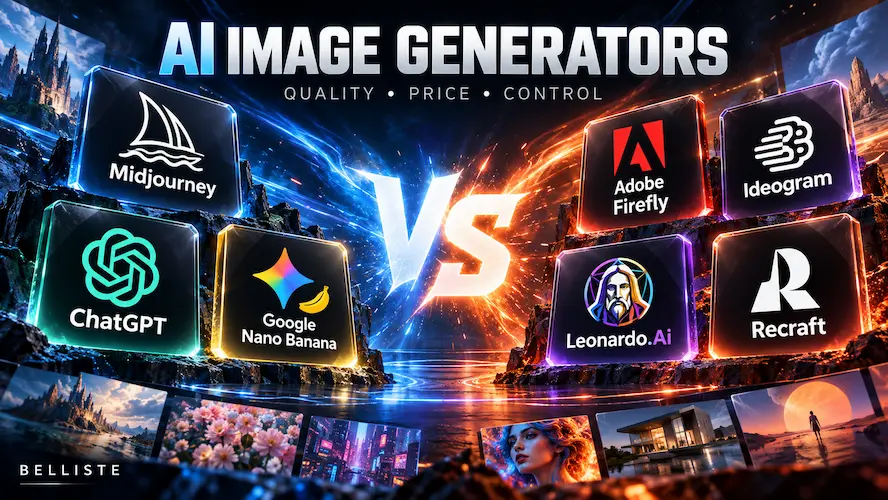
Belliste’s shortlist: Start with ChatGPT or Nano Banana on a zero budget. Choose Ideogram for text-heavy graphics, Midjourney for artistic exploration, Leonardo.Ai for a dedicated creation workspace, Firefly for Adobe editing, and Recraft for vectors. These seven cover distinct everyday workflows; this is a focused shortlist rather than a catalog of every model.
This is a research-based comparison, informed by TechRadar and Futurepedia and checked against official product pages on October 21, 2026. Recommendations are editorial judgments, not results from a Belliste image benchmark.
The practical comparison
Tool
Best fit
Price or access checked
Important trade-off
Midjourney
Artistic exploration and visual style
Basic $10/month; Standard $30/month
Private generation requires Pro or Mega
Ideogram
Posters and graphics with text
Eligible free accounts receive variable weekly credits; Plus $20/month
AI editing consumes priority credits
ChatGPT
Creating and revising through conversation
Free image access is limited; Plus $20/month
No universal fixed image quota promised here
Adobe Firefly
Generation followed by production editing
Free daily generations; Standard €11.17/month incl. VAT on the regional page served
Partner-model outputs use premium credits
Nano Banana
Photo editing and reference-based changes in Gemini
Nano Banana 2 free; 2.1 requires a Google AI plan
Model access and allowances depend on plan
Leonardo.Ai
Dedicated workspace, presets and image guidance
Free: 150 Fast Tokens/day; Essential $12/month before tax
Free creations are public; tokens are not image counts
Recraft
Vector generation and reusable design assets
Basic $12/month; $120/year for annual billing
Free-plan images are not licensed for commercial use
Prices are not a currency-normalized ranking. Adobe returned regional euro pricing; the dollar figures are the vendors’ listed prices. Taxes, local checkout and billing period can change the final charge. Recraft’s paid-plan documentation confirms Basic includes 1,000 credits monthly; its annual price is paid upfront.
TechRadar highlights Midjourney’s distinctive style and lighting, while Futurepedia recommends it for professional creative exploration. That makes it our first choice here for mood boards, illustrative concepts and images where atmosphere matters more than literal product accuracy.
The buying decision changes with volume and privacy. Basic includes 200 minutes of Fast GPU time per month. Standard adds unlimited image generation in Relax mode; this is a slower processing mode, not unlimited Fast generation. Stealth mode is restricted to Pro and Mega, listed at $60 and $120 monthly.
For a designer exploring a visual identity, the useful question is whether the tool produces a direction worth developing. For an unreleased client campaign, visibility settings deserve attention before uploading references.
Choose it when: You want to explore a look and can select and refine the results. Budget for the plan that provides your required privacy, rather than assuming the $10 entry price covers everything.
A poster with beautiful lighting and a misspelled event name is unfinished. TechRadar identifies text handling as a particular Ideogram strength, making it our first choice here for posters, promotional graphics and thumbnail concepts.
Its current Plus plan lists 2,400 priority credits per month, private generation and unlimited slow credits. Monthly billing is $20; the annual option is $180 upfront, equivalent to $15 per month.
The distinction between queues matters. AI-powered editing and Image Reference require priority credits and do not work in the slow queue. Eligible free accounts receive weekly credits, with the amount allowed to vary.
Choose it when: Words belong inside the composition. Proofread the final export at its intended viewing size. For a thumbnail, readable typography on a large preview is insufficient if the words disappear on a phone.
ChatGPT: useful when the work involves repeated revisions
ChatGPT offers a conversational route from a brief to an image and subsequent changes. OpenAI’s Plus page describes image creation, variations and refinement, with enhanced generation access on the paid plan.
This approach suits someone who wants to explain the change in ordinary language: move the subject to the right, leave the left side open, or simplify the background. It also puts image work alongside writing and analysis in the same subscription.
Free access lets you explore the workflow before paying. Plus is $20 monthly, but expanded access does not mean every image request is unlimited. OpenAI’s current Free FAQ does not establish one universal daily image count.
Choose it when: You want one assistant for a brief, visual revisions and supporting copy. During revisions, inspect the parts you wanted preserved as carefully as the requested change.
Adobe Firefly: a direct route to production editing
Firefly brings generation together with editing features such as Generative Fill and Generative Expand. Its appeal is strongest when you need to continue working on an asset rather than accept a finished-looking image from a gallery.
The regional pricing page served during our check listed Standard at €11.17 monthly including VAT, with 2,000 generative credits. Adobe describes standard image and vector generations as unlimited on paid Firefly plans; premium features and partner-model outputs consume credits.
Adobe distinguishes its own Firefly models from partner models offered through the same platform. Do not assume every model carries identical commercial assurances simply because it appears in Firefly.
Choose it when: Your work already involves Adobe tools and selective editing. Verify which applications your subscription includes; a Firefly plan is not automatically a license for every Creative Cloud desktop app.
Recraft: useful when you need a design asset, not just a picture
Recraft supports image and vector generation, alongside editing operations including background removal, inpainting and outpainting. A vector workflow is relevant when an illustration or icon must remain usable at different sizes.
Its pricing FAQ makes an unusually important distinction: Free-plan images are owned by Recraft, publicly visible and not licensed for commercial use. Paid-plan images receive commercial rights and remain private under the terms described there, including after cancellation.
That changes the meaning of “free.” Exploring an idea and producing an asset for a paying client are different requirements.
Choose it when: Editable vector output belongs in your delivery requirements. Check the generated paths, shapes and export in your design software before treating the asset as production-ready.
Nano Banana: start here for photo-based changes in Gemini
Google’s Nano Banana works inside Gemini, with image generation, reference styling and photo editing. Google currently lists Nano Banana 2 as free and Nano Banana 2.1 with a Google AI plan. Its product page describes combining photos, maintaining character appearance and changing lighting, camera angles and aspect ratios.
That makes it a useful alternative to ChatGPT when you already work in Gemini. Start with a real photo and one bounded change, then inspect whether faces, objects and background details you wanted preserved remain intact. The model’s advertised consistency features are not a guarantee of exact product reproduction.
Choose it when: You want to adapt existing photos or combine visual references through Gemini. Try the free model first; pay for the specific model access or higher allowance you need. Google AI subscription pricing depends on your checkout region, and API billing is a separate purchase.
Leonardo.Ai: a dedicated workspace with a measurable free allowance
Leonardo.Ai offers presets, image guidance, canvas tools and personal model training on eligible paid plans. TechRadar recommends it for beginners who want a dedicated image platform.
The official pricing page lists 150 Fast Tokens per day on Free, with public creations. Essential costs $12/month before tax, provides 8,500 Fast Tokens monthly, and includes private generation and enhanced quality settings. These are tokens, not image counts: generation settings and operations determine how far they go.
Premium at $30/month and Ultimate at $60/month add higher allowances and relaxed generation for selected models. Do not interpret that as unlimited access to every model in the platform.
Choose it when: You want to explore presets and references in a dedicated creation workspace. Use the free token allowance to learn which settings consume your budget before choosing a subscription.
Futurepedia’s evaluation criteria include realism, prompt accuracy, customization and speed. Those are useful starting points, but your own brief should decide their relative importance.
Use a small set of assignments that resembles your actual work:
Assignment
What to inspect
A product against a simple background
Shape, label accuracy, reflections and reference fidelity
A poster with an exact short headline
Spelling, spacing and small-screen readability
A website hero with space for copy
Composition, crop and usable negative space
A revision to an existing image
Whether unrelated details remain consistent
A set of related illustrations
Color, style and subject consistency across outputs
Keep the initial brief and aspect ratio consistent. Record the model, settings, attempts and correction time. A single attractive sample cannot tell you how reliably a tool will meet a deadline.
For factual editorial imagery, do not substitute a generated product or interface for verified evidence. Use an illustration where an illustration is appropriate.
Compare the cost of usable output
Credits, GPU minutes and monthly subscriptions measure different things. They cannot be converted into a fair image count without knowing the model, resolution and operations involved.
Instead, divide the amount spent by the number of assets you can actually use. A $20 month yielding ten approved images costs $2 per usable image before your editing time. If it produces only two, that becomes $10.
Include failed attempts, upscaling, revisions and any privacy upgrade. Annual discounts help after the workflow proves useful; they do not make an unsuitable tool good value.
Which should you choose?
If you have no budget, start with ChatGPT for conversational creation or Nano Banana for photo-based edits. If your main job is posters, thumbnails or promotional graphics containing words, start with Ideogram.
Choose Midjourney when artistic direction is the priority, Leonardo.Ai when you want a dedicated workspace with presets and references, Firefly when Adobe editing is central to delivery, and Recraft when you need vector assets with the appropriate commercial rights.
Buy one tool for a recurring job before paying for a second. The decisive measure is how often it delivers an acceptable final asset within your time and budget.
ChatGPT is a practical starting point for conversational image creation and revisions. Try its limited free image access before deciding whether you need a dedicated generator.
How much does Midjourney cost?
Midjourney lists monthly plans at $10, $30, $60 and $120. Annual plans cost less per month when paid upfront; Stealth mode requires Pro or Mega.
Which AI image generator should I consider for text?
Belliste recommends Ideogram first for posters and graphics containing words, supported by TechRadar’s assessment. Proofread and check readability in every final export.
Are free AI-generated images suitable for commercial projects?
It depends on the service and plan. Recraft explicitly says Free-plan images are not licensed for commercial use. Check the relevant terms and any third-party material in the output.
Does unlimited generation mean unlimited fast images?
No. Midjourney separates Fast GPU time from Relax generation. Ideogram separates priority credits from slow credits, and some editing features require priority credits.
How can I compare image quality fairly?
Use the same brief and aspect ratio, record models and settings, and assess prompt accuracy, revisions and usable results across several attempts.
<div style="height:40px"></div>
Best Free AI Tools in 2026: What You Get and What’s Limited