Compare Midjourney and ChatGPT for visual exploration, exact-text briefs, image edits and production costs, with a verdict based on the work you need to finish.
The image is nearly ready. The lighting works, the subject looks right, and the client likes the direction. Then comes the message: keep everything, change the background and make the headline shorter.
That request is where an image generator becomes a production tool. An attractive first result matters, but so does the route to an approved revision.
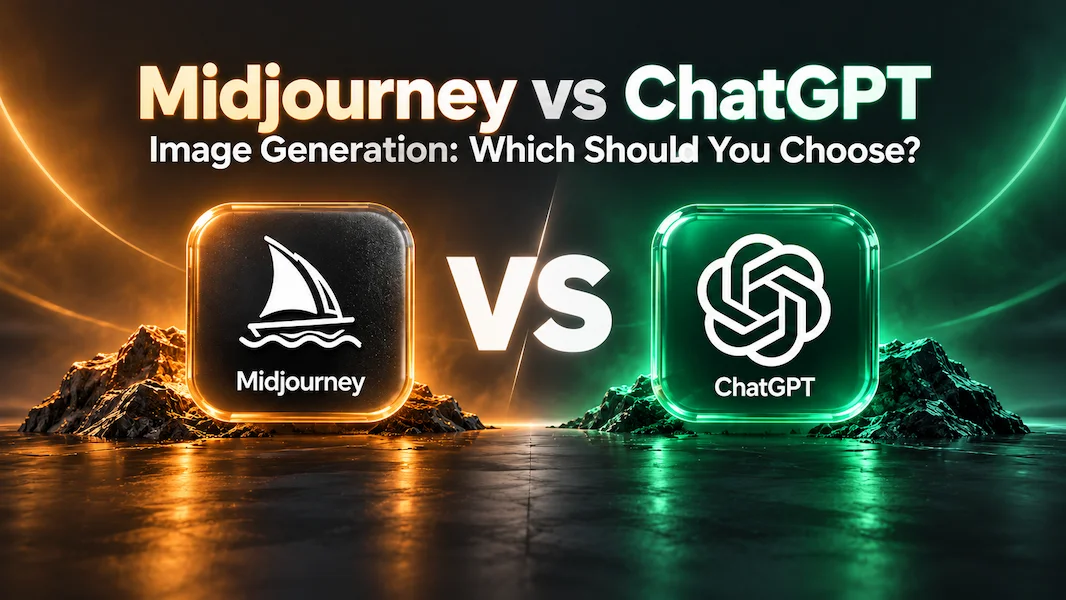
For Midjourney vs ChatGPT image generation, Belliste's recommendation is to start with Midjourney when exploring a visual style is central to the job. Start with ChatGPT when the image belongs to a broader conversation about a brief, exact wording and successive revisions. Both now support image editing; the difference is how their controls fit your work.
This is a research-based comparison, informed by TechRadar and Futurepedia and checked against official documentation on 27 October 2026. Belliste has not run a controlled image-quality benchmark for this article. Recommendations concern workflow fit rather than a universal winner for realism, text accuracy or artistic quality.
A useful distinction, with one important update
Midjourney provides a dedicated creative environment with image generation, references, styling controls and editing. ChatGPT puts image generation inside a general assistant where you can discuss the brief and refine the output in the same conversation.
That distinction does not mean Midjourney requires cryptic commands for every change. Its current documentation describes an Edit Model that can modify an existing image through written instructions, generate using up to four reference images and support regional edits and canvas expansion.
ChatGPT's official documentation likewise supports generating and editing images from natural-language instructions and references. It recommends stating what should change and what must remain.
The buying question is therefore more specific than “Which one understands words?” Ask which environment helps you explore, select, revise and deliver the image you need.
When the assignment is to find a look
Imagine a small brand commissioning a campaign without a settled visual direction. The first task is to explore lighting, materials and composition before anyone approves a finished image.
Midjourney deserves a trial for that work. TechRadar's image-generator guide highlights its distinctive aesthetic appeal, while Futurepedia describes style exploration and concept development among its uses. Those descriptions identify a candidate; they do not establish that its latest model beats every alternative.
Midjourney's Style Reference feature gives the recommendation a concrete basis. Its documentation explains that a reference guides characteristics such as colour, texture, medium and lighting rather than copying the people or objects in it.
Use that distinction deliberately. A mood reference can help establish a campaign's visual treatment, while a separate product reference communicates what must actually be shown. Confusing the two can produce a pleasing style with the wrong subject.
Our lean: Midjourney for someone who wants to explore and develop a repeatable visual direction. ChatGPT can also generate stylistic variations, so compare the controls and results that matter to your project.
When the assignment begins as a conversation
A shop owner may know the purpose of a graphic but have an incomplete brief: a weekend offer, a photograph, a few words and a preferred colour.
ChatGPT is a sensible starting point when clarifying that brief is part of the work. You can discuss the hierarchy, settle the wording and request the image without moving the task into a separate creative environment.
Be explicit about when generation should begin. First establish the audience, format, subject and required text. Then request the visual. Otherwise, you may spend a generation discovering that the dimensions or message were never agreed.
The same conversation can hold revision instructions, but that convenience is not a guarantee of perfect preservation. Compare each new output with the approved version. Check that changing the background did not also change the object, crop or type.
Our lean: ChatGPT when briefing and revision need to stay together, particularly for an occasional creator.
Posters and thumbnails: inspect every word
A cover with a misspelled product name fails even if the artwork is excellent. Text-heavy images require a stricter review than a decorative background.
ChatGPT's image-generation guidance recommends specifying short text precisely, including capitalisation, placement and visual treatment. Treat those instructions as a way to improve the brief, not a promise that every word will be correct.
Test the same short title in both tools. Inspect spelling, punctuation, spacing and readability at the size the audience will see. If the image will be cropped into a card, check that crop before approval.
For material that needs several language versions or frequent price changes, generate the illustration and finish the typography in a design application. Editable text makes later corrections more predictable.
This guide does not award a text-rendering winner without testing current versions on comparable requests. A few successful examples from an older review would not settle that question.
Editing: ask for a small change and check the rest
Give each tool a practical revision: replace one object, preserve the composition and leave the remaining details unchanged. Keep the original beside the result.
Midjourney documents regional editing and outpainting through its Editor, as well as written-instruction changes through its Edit Model. OpenAI documents reference-based edits and targeted revisions in ChatGPT.
Look beyond the area you requested. Check shadows, reflections, object proportions and any text. A visually convincing edit can still alter a detail that identifies the product.
For a sequence of assets, compare continuity across the whole set. A reference may guide the result without locking every feature. Record the settings and references used where the interface makes them available.
The useful question is how many corrections it takes to reach an acceptable image. Conversational instructions and dedicated editing controls are both worth testing against that requirement.
Product imagery: the attractive version may be the wrong version
Suppose the brief concerns a particular bottle. Its cap, label and proportions are part of the product, not incidental decoration.
Use an authorised reference and identify what must remain accurate. After generation, compare those details directly with the source. Check the silhouette and readable markings before admiring the lighting.
This applies equally to both services. A generated setting may support a concept or campaign, but a changed pack can misrepresent what a customer will receive. Where exact reproduction is essential, a photographic or compositing workflow may require less correction.
Do not turn a platform preference into an assumption of fidelity. Approve the actual asset.
Pricing: compare the work you finish
Midjourney lists Basic at $10 monthly, Standard at $30, Pro at $60 and Mega at $120. Annual commitments provide lower monthly equivalents but require upfront payment. Basic includes 3.3 hours of Fast GPU time per month; eligible higher tiers add Relax image generation.
ChatGPT offers a free plan and paid upgrades. Official pricing documentation lists Plus at $20 monthly. Check the image access and usage limits available in your account; a general subscription price is not a guaranteed number of image exports.
For light use, try the ChatGPT access you already have before adding another bill. For a regular creative workload, Midjourney's dedicated controls may justify a separate subscription.
Include rejected generations and finishing work in the comparison. A lower entry price can become poor value if every accepted image requires repeated correction. Conversely, paying for high capacity does little for a creator who only needs an occasional cover.
Privacy needs a separate check
Midjourney's pricing documentation places Stealth Mode on Pro and Mega. If an unreleased design or client reference needs restricted visibility, check the exact plan and publication conditions before uploading it.
For ChatGPT, inspect the data controls and terms for the account or workspace you intend to use. Do not assume that being outside a public image gallery answers every question about retention, training or access.
Use references you are entitled to provide. Public visibility and permission to reuse a picture are different considerations.
Choose with one exploration task and one revision task
Begin with an open visual brief. Ask for a few directions, then select the one you would develop. Notice how easily each service lets you refine the style.
Next use a tightly specified brief with a reference and short exact text. Request one change after selecting a result. Count the attempts, review time and finishing work.
Keep the comparison practical. Similar aspect ratios, comparable output requirements and recorded model settings help explain what happened. These are suggested evaluation tasks, not reported Belliste test results.
Belliste's verdict
Choose Midjourney first for style exploration and a dedicated image-making environment. Choose ChatGPT first when discussing the brief and making successive visual requests in one conversation is the stronger fit.
Neither recommendation means the other tool lacks those capabilities. Midjourney's written-instruction editing makes older comparisons incomplete, while ChatGPT can serve visual ideation as well as practical revisions.
Finish a real asset before committing to a long plan. The winning tool is the one whose output you can approve, correct and use within the time and budget available.
Editorial review
The final review checked current Midjourney editing and pricing documentation, separated directory descriptions from performance evidence and treated older TechRadar coverage as context. It removed blanket claims that one tool cannot edit conversationally or always wins on realism and text. No first-hand comparative test is claimed.
Frequently Asked Questions
Is Midjourney or ChatGPT better for image generation?
Belliste suggests Midjourney for style exploration in a dedicated creative environment, and ChatGPT when briefing and successive image revisions benefit from one conversation. This is a workflow recommendation, not a universal image-quality ranking.
Can Midjourney edit images using written instructions?
Yes. Its current Edit Model documentation describes modifying images through written instructions, generation with up to four references, regional editing and outpainting. Compatibility depends on the selected model and workflow.
Can ChatGPT edit an uploaded image?
Yes. Official documentation describes using a reference image and written instructions to request changes. Specify what should change and what must remain, then inspect the full result.
Which tool is better for text in posters or thumbnails?
This guide does not establish a controlled text-rendering winner. Test exact wording, check every character and review the final crop. Use editable typography in a design tool when repeated corrections or localisation are important.
How much does Midjourney cost?
The checked official plans list Basic at $10 monthly, Standard at $30, Pro at $60 and Mega at $120. Annual commitments have lower monthly equivalents with upfront payment.
Is ChatGPT cheaper than Midjourney?
ChatGPT has a free plan, and Plus is listed at $20 monthly. Midjourney Basic is $10 monthly. Actual value depends on account limits, required features, retries and the work needed to finish usable images.
Which Midjourney plans include Stealth Mode?
Midjourney lists Stealth Mode on Pro and Mega. Check the current visibility and plan conditions before uploading confidential client references.
Did Belliste run a Midjourney versus ChatGPT image test?
No. This article combines TechRadar and Futurepedia coverage with official product documentation checked on 27 October 2026. The suggested tasks are a method for readers to evaluate their own workflow.
Midjourney vs ChatGPT Image Generation: Which to Choose?