GitHub Copilot Review 2026: Features, Pricing, Coding Agents and Limitations
Published:
An independent GitHub Copilot review covering agents, code completion, AI Credits, pricing, code review and comparisons with Cursor and Codex.
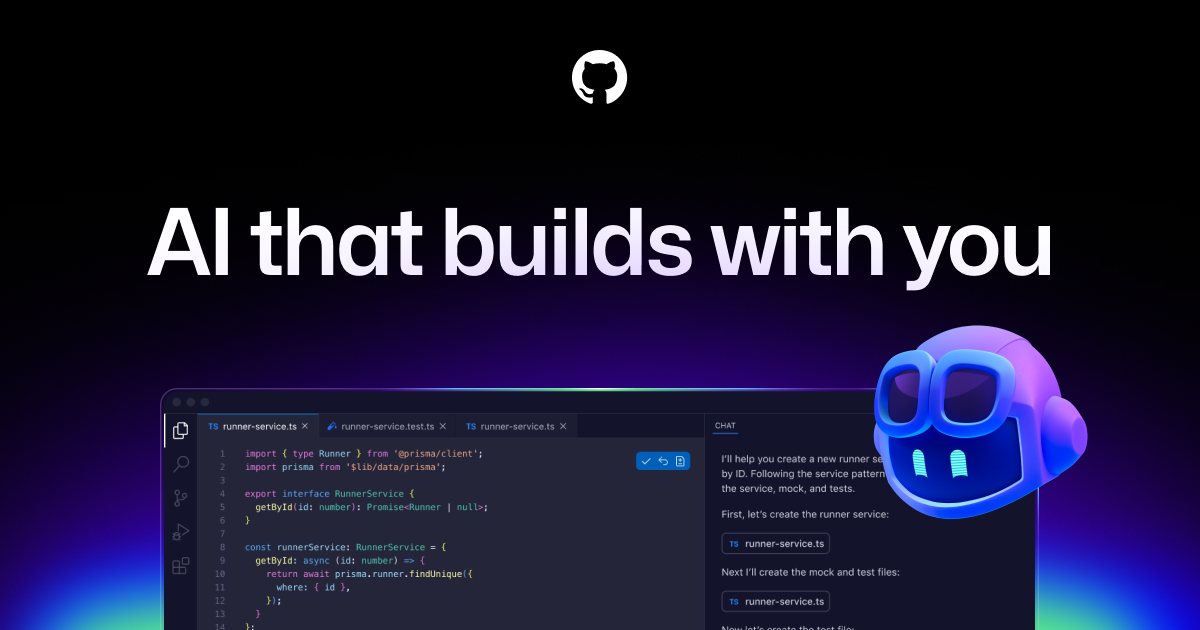
GitHub Copilot Review 2026: Features, Pricing, Coding Agents and Limitations
GitHub Copilot is no longer only the autocomplete assistant that helped developers finish a line of code. In 2026, it spans inline suggestions, chat, agent mode in editors, command-line workflows, code review and a cloud coding agent that can take on tasks from GitHub. This expansion makes Copilot more useful—but also makes it harder to understand what a subscription actually buys.
For developers, the important question is not whether Copilot can produce plausible code. It is whether it reduces the total effort required to deliver a correct, reviewed and tested change. This Belliste review looks at the real workflows, pricing structure and trade-offs, with particular attention to the new GitHub AI Credits model.
Editorial methodology: This article is based on GitHub's published product and billing documentation, not a controlled hands-on benchmark. We do not claim to have tested all features or measured a universal productivity gain.
What Is GitHub Copilot?
GitHub Copilot is an AI development assistant integrated with supported editors, GitHub and terminal workflows. Its capabilities range from predicting code as you type to helping an agent inspect a repository, modify files, run supported tools and prepare changes for review.
Copilot should not be confused with Microsoft Copilot, the general-purpose assistant, or Microsoft Copilot Studio, the platform for building business agents. GitHub Copilot is specifically focused on software development.
Its value comes from working in places developers already use. Its limitation is that repository access and automation do not guarantee that generated changes satisfy product requirements.
GitHub Copilot Features: From Completion to Agents
| Feature | What it helps with | What the developer must still check |
|---|---|---|
| Inline code completion | Finish repetitive statements and common patterns | Correctness, style and edge cases |
| Next edit suggestions | Anticipate nearby code changes | Whether suggested edits preserve behavior |
| Copilot Chat | Explain code and discuss implementation options | Factual accuracy and project-specific assumptions |
| Agent mode | Explore and edit multiple files, run supported tools | Scope, test results and regression risk |
| Copilot CLI | Work with coding assistance from a terminal | Command permissions and repository state |
| Cloud coding agent | Delegate a scoped task that can result in a pull request | Branch protection, review and CI |
| Copilot code review | Surface possible issues in changes | False positives and missed vulnerabilities |
| Custom instructions and MCP | Apply project guidance and connect supported tools | Trust boundaries and external access |
These features have different usage rules. The availability of one feature on a plan does not imply unlimited access to all others.
Inline Suggestions: Still a Reason to Use Copilot
Inline completion remains a practical feature for developers who spend their day in an editor. It can reduce typing for boilerplate, repetitive transformations and familiar API patterns.
The danger is subtle. A suggestion that looks idiomatic may still use the wrong error handling, introduce a security weakness or assume a dependency version the project does not use.
The best habit is to read suggestions as if they came from a teammate whose code has not yet been reviewed. Accepting a suggestion is a development decision, not merely a typing shortcut.
Copilot Chat and Agent Mode
Chat helps developers ask questions about code, explore implementation choices and understand error messages. Agent mode goes further by acting on the project through supported tools and editing workflows.
Consider a bug in a comparison website: searching for a product works on its dedicated page but fails on the homepage. A useful agent should investigate both search paths, identify where their logic diverges and propose a narrow correction. A poor agent may rewrite shared components and introduce new problems.
A good initial instruction is:
“Inspect the homepage search and the working product-page search. Identify why variant results differ. Do not edit files. Provide the root-cause evidence, the smallest proposed fix and the tests needed.”
This turns an open-ended request into a reviewable engineering task.
Why Plan Before Editing?
A coding agent can move quickly from a plausible hypothesis to multiple changed files. That speed is beneficial only when the hypothesis is correct.
Before approving edits, ask for the affected files, the intended behavioral change, the components that must remain untouched and a verification plan.
Copilot Cloud Agent: Delegating Work Through GitHub
GitHub's cloud coding agent can be assigned eligible tasks and prepare changes for review, including pull requests. This makes it suitable for scoped backlog work such as updating a test, fixing a reproducible bug or preparing a modest feature.
It should not be treated as an autonomous maintainer of production systems. A pull request generated by an agent needs the same code review, CI checks and approval requirements as a human-authored change.
A particularly important distinction is between producing a pull request and delivering a correct feature. The first is an artifact. The second requires verification.
When Cloud Delegation Makes Sense
- A task has a clear definition of done.
- The repository has reliable tests.
- The change can be isolated to a branch.
- Credentials are limited to the minimum required.
- A human reviewer is available before merge.
Cloud delegation is less attractive for ambiguous product design, high-risk migrations or incidents requiring deep production context.
GitHub Copilot Code Review
Copilot code review can inspect proposed changes and surface potential bugs, maintainability problems or security concerns. It is useful as an additional review pass, particularly on repetitive or unfamiliar changes.
But a review agent can miss a defect and can also flag harmless code. It may lack context about undocumented requirements, live traffic, customer behavior or architecture decisions.
Use AI review to inform a human decision. Do not use it to replace branch protection or required reviewers.
Copilot CLI and the Terminal Workflow
Copilot CLI brings coding assistance into a terminal environment. Developers can use it alongside Git, test runners and other tools rather than switching to a separate chat interface.
This is useful for engineers who already prefer a terminal-first workflow. It also raises a familiar agentic risk: a command can affect files, dependencies or environments beyond the intended task.
Review permissions, avoid production credentials and keep a clean Git baseline before allowing substantial edits.
GitHub Copilot Pricing in 2026
GitHub's current individual pricing is Free $0/month, Pro $10/month, Pro+ $39/month and Max $100/month. Organization offerings include Business $19 per user/month and Enterprise $39 per user/month. Regional taxes and enterprise conditions can differ.
| Plan | US monthly price | Included AI Credits / usage |
|---|---|---|
| Free | $0 | Limited agent and chat access; 2,000 code completions/month |
| Pro | $10 | 1,500 monthly AI Credits total |
| Pro+ | $39 | 7,000 monthly AI Credits total |
| Max | $100 | 20,000 monthly AI Credits total |
| Business | $19/user | 1,900 AI Credits per user/month in organizational pooling |
| Enterprise | $39/user | 3,900 AI Credits per user/month in organizational pooling |
GitHub's individual plan totals combine a base allowance and a flex allotment. For Pro, that is 1,000 base credits plus 500 flex; for Pro+, 3,900 plus 3,100; for Max, 10,000 plus 10,000. Flex allotments may change. See the official pricing page and plan documentation.
What Are GitHub AI Credits?
GitHub AI Credits measure usage of features such as chat, agent mode, code review, cloud agent, Copilot CLI and Copilot Apps. Consumption varies by model and feature.
This is a critical change from older reviews that focused on a fixed number of “premium requests.” A current buying decision should use the AI Credits documentation, not an outdated quota chart.
According to GitHub's individual billing documentation, unused included credits do not roll over to the next month. Allowances reset at the beginning of each calendar month in UTC. Eligible paid users can purchase additional credits.
Unlimited Completion Does Not Mean Unlimited Agents
GitHub lists unlimited code completion and next edit suggestions on paid plans, but agentic features consume AI Credits. A developer who primarily uses inline suggestions may have very different costs from one who regularly delegates complex multi-file tasks.
The right metric is the cost per verified task, including review time and any additional credit purchases.
Which Plan Makes Sense?
Free: best for learning the interface and testing whether Copilot fits your editor.
Pro: a reasonable entry point for developers who use Copilot regularly but have modest agent workloads.
Pro+: worth considering if premium models and a substantially larger credit allowance solve a measured bottleneck.
Max: aimed at sustained high-volume usage; difficult to justify without actual usage data.
Business or Enterprise: evaluate centralized administration, policies, security requirements and pooled usage rather than comparing seat prices alone.
Supported Editors and Development Environments
Copilot supports major development environments, including VS Code, Visual Studio, JetBrains IDEs and other documented integrations. Feature parity is not guaranteed across every editor or platform.
Before purchasing, confirm that the specific feature you need—agent mode, review, CLI or cloud delegation—is available in your environment and plan.
A Reliable Copilot Workflow for Production Code
1. Define the Bug or Feature Precisely
Write the expected behavior and a reproducible example. Avoid broad instructions such as “improve the whole page.”
2. Start With a Clean Git State
Commit or stash unrelated work and create a dedicated branch. A clean baseline makes agent-generated changes easier to inspect and reverse.
3. Ask for Investigation Before Modification
Request file references, root-cause evidence and a minimal plan. If the agent cannot identify the problem, do not authorize a large rewrite.
4. Specify Protected Areas
List components, global styles, database tables and workflows that must not change. Require approval before adding dependencies or migrations.
5. Inspect the Diff
Look for deleted validation, changed permissions, unexpected global styles, new packages and altered public interfaces.
6. Test the Actual User Flow
Run unit and integration tests, linting and type checks. For user-facing behavior, manually reproduce the original issue and check nearby workflows.
7. Review Before Merge
Keep normal pull-request review and CI. A passing command reported by the agent is not enough; check the actual output and coverage.
8. Keep Deployment Behind Human Approval
Do not give a coding assistant unrestricted production access just because it can run commands or generate a pull request.
Security, Privacy and Governance
Source Code and Sensitive Context
Copilot may use code context to generate suggestions or agent responses. Organizations should review GitHub's current data handling, model provider and retention terms before enabling it for sensitive repositories.
Secrets and Permissions
Never provide broad production credentials for a routine code task. Use least-privilege tokens, protect secrets and review access granted to cloud agents or MCP servers.
Prompt Injection
A repository can contain untrusted text in comments, README files, issues or dependencies. Those instructions should not override the developer's approved task or security boundaries.
Public Code and Licensing
AI-generated code may resemble existing code or contain patterns with licensing implications. Use GitHub's available code-reference controls where appropriate and follow your organization's legal review process.
Organizational Controls
Business and Enterprise plans provide governance features, but their presence does not guarantee correct configuration. Administrators still need to set policies, spending controls and review requirements.
GitHub Copilot vs Cursor, Claude Code and OpenAI Codex
These tools overlap, but they are not interchangeable in every workflow.
| Tool | Workflow emphasis | Key buying question |
|---|---|---|
| GitHub Copilot | Editor assistance plus GitHub-integrated agents and reviews | Does GitHub integration reduce coordination and review friction? |
| Cursor | AI-oriented editor with local and cloud agents | Does its editor-first approach fit daily work better? |
| Claude Code | Agentic coding through terminal and supported interfaces | Is its workflow effective for repository-wide tasks? |
| OpenAI Codex | CLI, IDE, app and cloud task delegation | Does its agent orchestration fit the team's process? |
A generic “best AI coding tool” ranking is not useful without a common benchmark. To compare these products fairly, give them the same isolated issue, the same permissions and the same definition of done.
Measure root-cause accuracy, unrelated file changes, test outcomes, human correction time and total cost. A tool that creates a patch in three minutes but needs an hour of cleanup has not saved time.
Where GitHub Copilot Falls Short
Credit consumption is workload-dependent. Heavy agent use can cost more than the subscription headline suggests.
Feature availability varies. Plans, editors, models and rollout status affect what a user can actually do.
Generated code can be wrong. Copilot can misunderstand business logic, introduce regressions or overlook security issues.
Code review is not comprehensive. An AI reviewer can miss architectural or runtime defects.
Autonomous work requires guardrails. Agents can edit multiple files and run tools; permissions and diff review matter.
Enterprise adoption is operational work. Policies, secrets, governance and team training are necessary for reliable use.
Who Should Use GitHub Copilot?
Individual developers who already work in supported editors may find value in completions, explanations and modest agent tasks.
GitHub-centered teams may benefit from cloud delegation and review workflows integrated into their existing pull-request process.
Students and beginners can use Copilot to explore code, but should avoid accepting changes they cannot explain or test.
Technical founders can accelerate prototypes, while remaining responsible for security, architecture and deployment.
Regulated organizations should evaluate governance, data handling, auditability and contractual terms before adoption.
Belliste Verdict: Is GitHub Copilot Worth Paying For?
GitHub Copilot is a credible choice for developers who want AI assistance where they already write and review code. Its combination of completions, editor agents, CLI, cloud delegation and GitHub pull-request workflows is more consequential than any isolated code-generation demo.
The main drawback is the gap between producing code and delivering a reliable change. Copilot can shorten implementation time, but it cannot guarantee correct requirements, complete tests or safe deployment. The AI Credits model also means that frequent agent use requires attention to actual consumption.
Our recommendation: start with Free or Pro, select a small reproducible task, require a minimal patch and measure the full time to a reviewed result. Upgrade only when the additional credit allowance or governance features solve a demonstrated need.
Frequently Asked Questions
What is GitHub Copilot?
GitHub Copilot is an AI coding assistant offering code completions, chat, agents, CLI workflows, cloud task delegation and code review.
Is GitHub Copilot free?
Yes. The Free plan includes limited AI features and 2,000 code completions per month.
How much is GitHub Copilot Pro?
GitHub lists Pro at $10 per month in the United States.
What is the difference between Pro and Pro+?
Pro+ costs $39 per month and includes access to more premium capabilities and a larger monthly AI Credits allowance than Pro.
Does GitHub Copilot have a Max plan?
Yes. Max is listed at $100 per month for higher-volume individual use.
What are GitHub AI Credits?
They are GitHub's usage-based measure for supported Copilot features, including chat, agent mode, code review, CLI and cloud agents.
Are GitHub Copilot code completions unlimited?
Paid plans include unlimited code completions and next edit suggestions, while agentic features are governed by AI Credits.
Can Copilot create pull requests?
Eligible plans include a cloud coding agent that can work on tasks and prepare pull requests for review.
Does Copilot work with VS Code?
Yes. VS Code is among GitHub Copilot's supported development environments.
Is Copilot better than Cursor?
That depends on the workflow. Compare both on the same task, including patch correctness, review time and actual cost.
Is GitHub Copilot the same as Microsoft Copilot?
No. GitHub Copilot focuses on software development; Microsoft Copilot is a separate general-purpose product family.
Can GitHub Copilot replace code review?
No. AI review can add useful signals, but human review, testing and merge controls remain necessary.
Sources and Editorial Notes
This article is a documentation-based review, not a firsthand benchmark. The primary sources are:
- GitHub Copilot plans and pricing
- GitHub Docs: Copilot plans
- GitHub Docs: Individual usage-based billing
- GitHub Docs: Organization and enterprise billing
Editorial review: October 2026. Prices, model access, AI Credits and features can change. Verify official documentation before making purchasing decisions.